Last week I wrote about canceling 1Password. Today DigitalOcean joined the same foundation’s donor list, pledging $1 million a year for three years to the Omacom Foundation, the nonprofit behind DHH’s Omarchy.
Three million dollars. Ten times what made me cancel 1Password.
moved a bunch of projects off fly & random various droplets into one medium expensive (to myself) server and it was very annoying so please clap
— Keith Kurson (@keithlaugh.love) September 5, 2026 at 8:54 AM
I’d already spent the weekend moving my personal site and projects (atmoBB, pollen.place, and the rest) off a pile of DigitalOcean droplets and Fly machines onto one UpCloud machine, an object storage bucket, and a small managed Postgres database. So, good timing 🙃
I’m not going to do the whole DHH argument again. The last post has the quotes and the sources. I don’t want to keep paying companies that hand him money, and that includes my hosting bill! Canceling a subscription takes an afternoon. Moving your hosting has more parts. Here’s what mine looked like.
First: What am I hosting??
I need somewhere to put all my little apps. I have a lot of websites. My first instinct when I want to get a point across is to make another one.
When Glitch shut down I needed somewhere for everything I had running there. Front ends, back ends, personal sites, half-finished experiments. And I wanted getting any of them online to not become its own project every time.
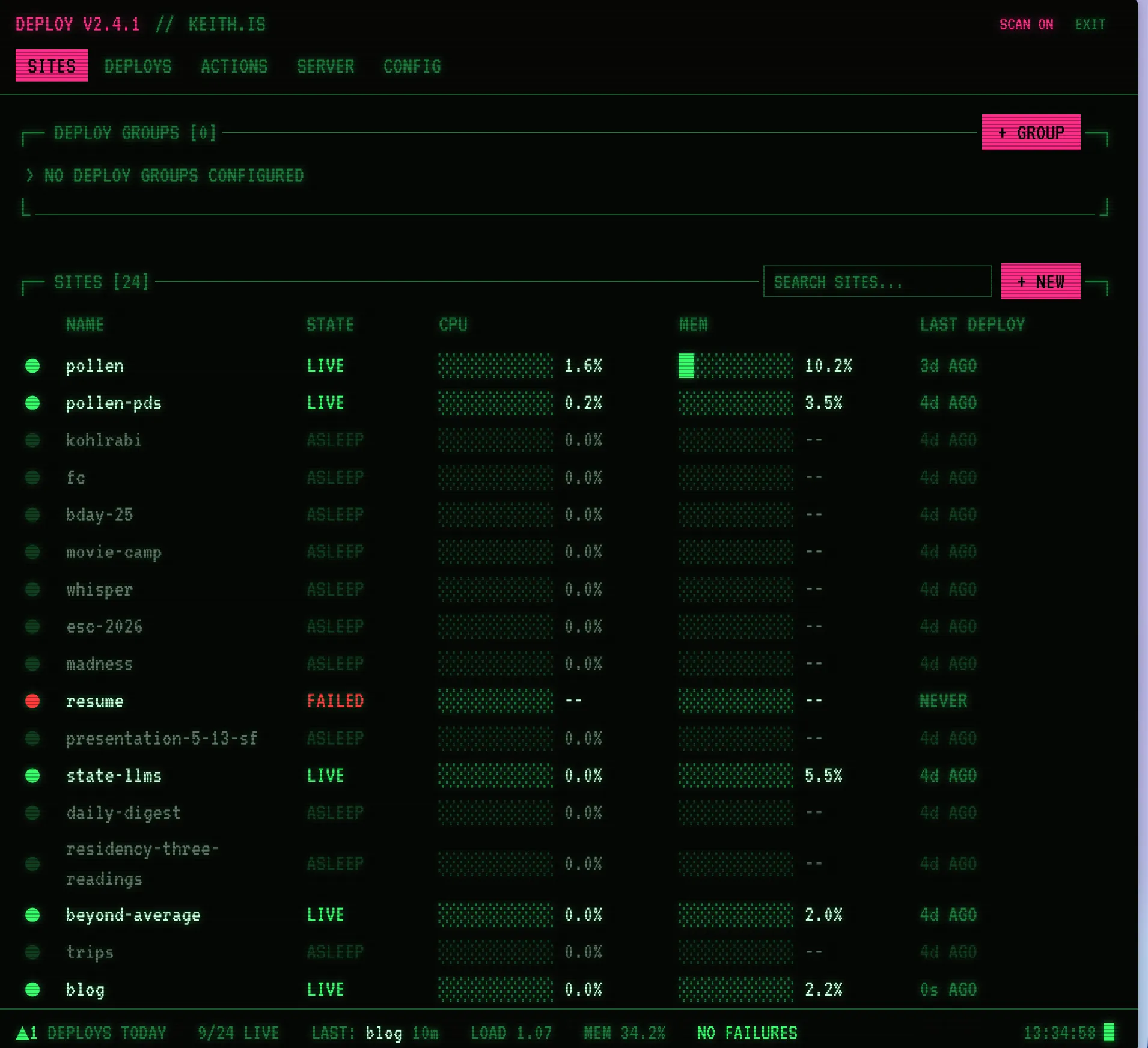
So I built a deployment tool. It’s called Deploy, I have never been great at naming things.
It sits on top of Docker and Railpack, Railway’s open source build system. Railpack builds the apps, Docker runs them, and Deploy is where I manage them. Automatic Git deploys, so I push and it goes live. It proxies Postgres connections now too.
All my app code lives in Git, private repos included, and Deploy can reach those. That’s most of why standing everything back up on the new machine was easy. The code was already somewhere I could deploy from instead of something I had to rescue off each old server.
Apps that need to save files get a persistent directory on disk, something like /data/name-of-app. An app can drop a SQLite database in there and keep it across deploys. Not every little project needs its own Postgres database and I love having a small little database I never need to think about again… until I need to move hosts.
Why UpCloud
Cost, and where the servers can go. If I want to spin something up outside the US, I want that to be easy. UpCloud does that.
I went in fully prepared to use the ugliest, weirdest host on the internet if the price was right. I do not need a beautiful dashboard to run a website. I ended up somewhere that actually seems like it’ll work well instead of chasing the cheapest machine in existence. There’s other nice stuff about UpCloud, but cost and server locations were the two things I cared about.
The move was mostly databases
Getting the code running was the easy part. The data was its own project: a pile of Postgres backups from various places, mostly databases sitting on the droplets, plus the persistent directories for anything using local files and SQLite. I wrote a quick script to move the directories, then did the sites one at a time.
The actual inventory was messier than that sounds. DNS spread across a few different providers. SQLite databases all over the place, each one sitting wherever the app that made it happened to put it. A couple of Postgres databases that needed a real dump and restore. None of it was hard, there was just more of it than I expected, and every piece was somewhere slightly different.
One at a time is the whole trick. “Move all my hosting” sounds enormous. “Move this one site” is a Saturday.
The new setup is one UpCloud machine for the apps, plus object storage and a small managed Postgres database. The database isn’t another thing running inside the app server.
The tradeoff is obvious: if that one app machine goes down, everything on it goes down with it. Separate storage and a managed database don’t make the app server highly available. This is a setup for my personal sites and dumb little projects, not a recommendation that you put your company on one server!!
“Open source Deploy, Keith!!”
I would love to open source this. It’s useful! I know other people have this problem!
It’s also built extremely specifically for me. I know how I expect my apps to work, and when one doesn’t, I go change the tool. Making that work for someone with a different setup is a whole other job: documenting assumptions I’ve never written down, handling configurations I don’t use, working out why their app won’t build when mine does.
Publishing the source doesn’t obligate me to support anybody, I know that. But there’s a difference between putting code online and telling people “here, host your applications with this.” That second one sounds like a huge slog and I don’t want to sign myself up for it on a whim.
You don’t need my particular tool to leave DigitalOcean. This is just how I keep the apps running once they’re somewhere else.
Anyway
I built Deploy because I needed somewhere to put my apps after Glitch. This weekend I used it to move them again, which is sort of the point of having built it.
There was still work. An install script to fix, a lot of databases. But I could take my applications with me, and I didn’t have to move every site in one night.
If you’re looking at your DigitalOcean bill feeling how I felt about 1Password: you don’t have to solve the whole migration today. Move one site. See what it needed. Then pick the next one.
I want these companies to lose customers over this, and making it easier for each other to leave is a decent place to start.
If you move, tell me where you landed. I’m keithlaugh.love on Bluesky.